Creating Subsystems / Commands
Creating a Subsystem
To create a new subsystem in VS Code with the WPILib extension:
-
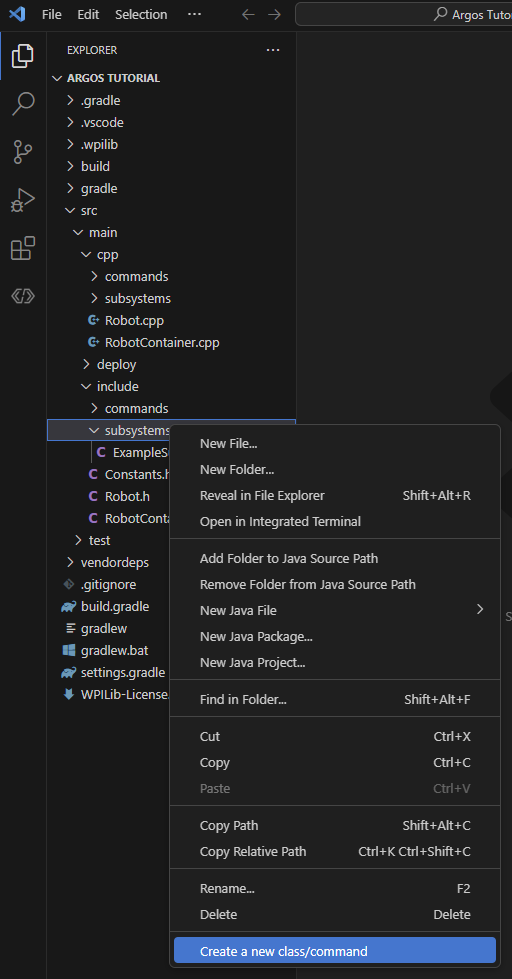
Right-click on the
src/main/include/subsystemsfolder in the file explorer. -
Select
WPILib: Create a new class/command.
-
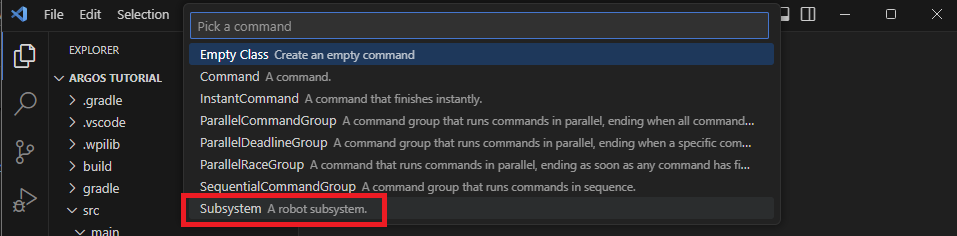
Choose
Subsystemfrom the list.
-
Name the new subsystem
Drivetrain.

-
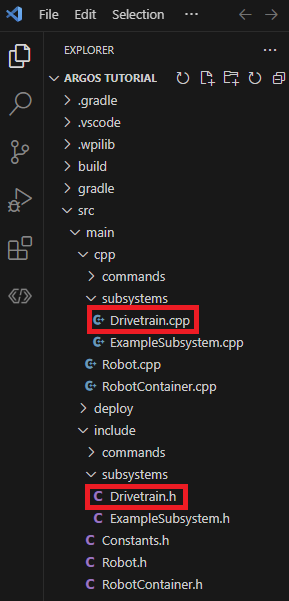
You should see two folder now in one in
src/main/include/subsystemscalledDrivetrain.hand the other insrc/main/cpp/subsystemscalledDrivetrain.cpp
Creating a Command
To create a new command in VS Code with the WPILib extension:
-
Right-click on the
src/main/include/commandsfolder in the file explorer. -
Select
WPILib: Create a new class/command.
-
Choose
Subsystemfrom the list.
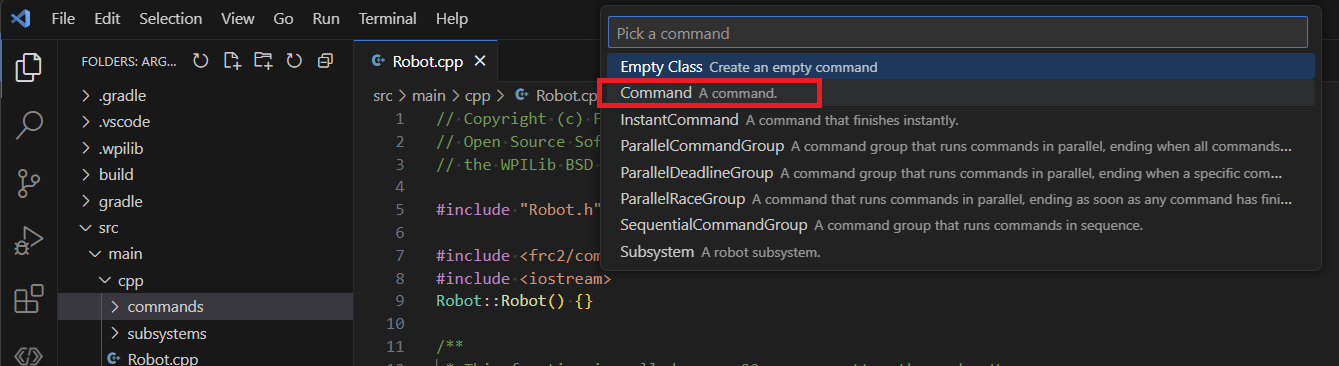
-
Name the new subsystem
LED_enable.

-
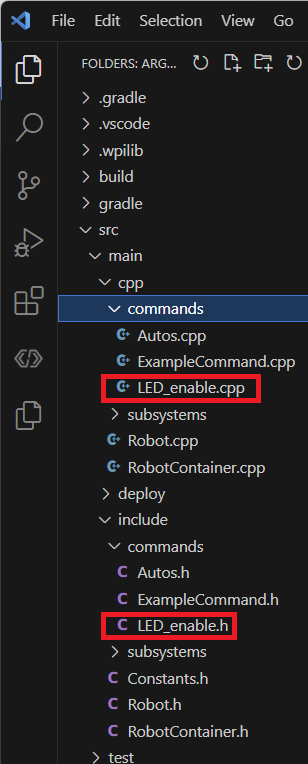
You should see two folder now in one in
src/main/include/commandscalledLED_enable.hand the other insrc/main/cpp/commandscalledLED_enable.cpp